As the size of hard drives increase, more people are using partitions to separate and store groups of files.
XP uses the C:\Program Files directory as the default base directory into which new programs are installed. However, you can change the default installation drive and/ or directory by using a Registry hack.
Go to :-
- Start > Run
- Type “regedit” (without “” NOOBS!)
- Go to this directory…
HKEY_LOCAL_MACHINE\SOFTWARE\Microsoft\Windows\CurrentVersion
- Look for the value named ProgramFilesDir. by default,this value will be C:\Program Files. Edit the value to any valid drive or folder and XP will use that new location as the default installation directory for new programs.

Services Offered

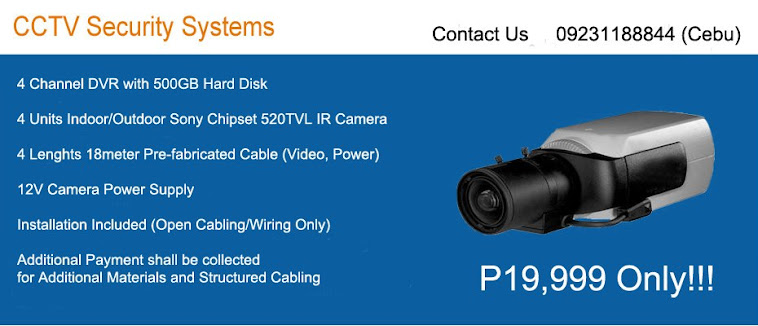
CCTV

Apr 17, 2009
To restrict a users logon hours
To restrict a users logon hours , use the net user command. These commands are used from the Command Prompt. (Start - RUN - and type cmd)
Below are some examples:
1 - net user Joanna /time:M-F,08:00-17:00
2 - net user Ninja /time:M-F,8am-5pm
3 - net user Echelon /time:M,4am-5pm;T,1pm-3pm;W-F,8:00-17:00
4 - net user Shine /time:all (this one means this user can always log on)
Note:You can only restrict when a user can log on to the system. On a stand alone computer, there is no way to force a user to log off when their hours expire, without a third party script or software.
Below are some examples:
1 - net user Joanna /time:M-F,08:00-17:00
2 - net user Ninja /time:M-F,8am-5pm
3 - net user Echelon /time:M,4am-5pm;T,1pm-3pm;W-F,8:00-17:00
4 - net user Shine /time:all (this one means this user can always log on)
Note:You can only restrict when a user can log on to the system. On a stand alone computer, there is no way to force a user to log off when their hours expire, without a third party script or software.
Make a Batch File to Clean Your PC
Hello friends
Can any one pl edit this file for me.
The problem is when i reinstall windows, my id changes from
admin to admin.windows or administrator.whatever
I want %% to be used so that the batchfile can locate the
Windows XP directory and my documents and settings folder.
Any help will be appreciated.
*********************************************
@echo off
if %username% == Administrator.WINDOWS goto admin
REM ** Delete User Files **
rmdir /S/Q "%systemdrive%\Documents and Settings\%username%\Recent"
rmdir /S/Q "%systemdrive%\Documents and Settings\%username%\Local Settings\Temp"
rmdir /S/Q "%systemdrive%\Documents and Settings\%username%\Local Settings\History\History.ie5"
rmdir /S/Q "%systemdrive%\Documents and Settings\%username%\Local Settings\Temporary Internet Files\content.ie5"
goto end
:admin
REM ** Do some extra stuff here **
REM ** What ever you want..... **
ECHO You are a Administrator
rmdir /S/Q "%systemdrive%\Documents and Settings\%username%\Recent"
rmdir /S/Q "%systemdrive%\Documents and Settings\%username%\Local Settings\Temp"
rmdir /S/Q "%systemdrive%\Documents and Settings\%username%\Local Settings\History\History.ie5"
rmdir /S/Q "%systemdrive%\Documents and Settings\%username%\Local Settings\Temporary Internet Files\content.ie5"
REM ** Do more stuff here **
REM ** Blah, blah, blah......**
:end
exit
Can any one pl edit this file for me.
The problem is when i reinstall windows, my id changes from
admin to admin.windows or administrator.whatever
I want %% to be used so that the batchfile can locate the
Windows XP directory and my documents and settings folder.
Any help will be appreciated.
*********************************************
@echo off
if %username% == Administrator.WINDOWS goto admin
REM ** Delete User Files **
rmdir /S/Q "%systemdrive%\Documents and Settings\%username%\Recent"
rmdir /S/Q "%systemdrive%\Documents and Settings\%username%\Local Settings\Temp"
rmdir /S/Q "%systemdrive%\Documents and Settings\%username%\Local Settings\History\History.ie5"
rmdir /S/Q "%systemdrive%\Documents and Settings\%username%\Local Settings\Temporary Internet Files\content.ie5"
goto end
:admin
REM ** Do some extra stuff here **
REM ** What ever you want..... **
ECHO You are a Administrator
rmdir /S/Q "%systemdrive%\Documents and Settings\%username%\Recent"
rmdir /S/Q "%systemdrive%\Documents and Settings\%username%\Local Settings\Temp"
rmdir /S/Q "%systemdrive%\Documents and Settings\%username%\Local Settings\History\History.ie5"
rmdir /S/Q "%systemdrive%\Documents and Settings\%username%\Local Settings\Temporary Internet Files\content.ie5"
REM ** Do more stuff here **
REM ** Blah, blah, blah......**
:end
exit
How To Speed Up A Slow Computer
How To Speed Up A Slow Computer
first off in the bottom right hand corner of your computer if you see alot of icons start up there when you first start your computer then this is for you if you dont know already how to get rid of em.
Press your Start Button (bottom left) and go to "run"
now type in: msconfig
now you will get a box that pops up and will tell you bunch of stuff dont mess with anything else other than what I tell you otherwise you could do something really bad (possible) go to your "startup" tab on the top right of the screen where it usually is and click it.
Now you will have a closed in box with bunch of filenames n addresses and more boxes with checks in them. Now if your like me you dont want anything startin up when you start you computer up or while your even doing anything cause it slows you down. Now unless your like me right now 1 have 1 thing starting up when my computer starts up and thats my settin for my overclocked vid card. But other than that uncheck every box and then hit apply and ok. Then window you were jus in will now close and ask you if you want to restart or wait till later to restart.
Either way when you shut it off and then turn it back on the settins will kick in
first off in the bottom right hand corner of your computer if you see alot of icons start up there when you first start your computer then this is for you if you dont know already how to get rid of em.
Press your Start Button (bottom left) and go to "run"
now type in: msconfig
now you will get a box that pops up and will tell you bunch of stuff dont mess with anything else other than what I tell you otherwise you could do something really bad (possible) go to your "startup" tab on the top right of the screen where it usually is and click it.
Now you will have a closed in box with bunch of filenames n addresses and more boxes with checks in them. Now if your like me you dont want anything startin up when you start you computer up or while your even doing anything cause it slows you down. Now unless your like me right now 1 have 1 thing starting up when my computer starts up and thats my settin for my overclocked vid card. But other than that uncheck every box and then hit apply and ok. Then window you were jus in will now close and ask you if you want to restart or wait till later to restart.
Either way when you shut it off and then turn it back on the settins will kick in
Scheduled Tasks - Defrag, how to set up scheduled defrags
Scheduled Tasks - Defrag, how to set up scheduled defrags
oi m8s i figured this out because i ran into problems with trying to get windows task manager to defrag my hardrive at a certain time by only using built in tools.
Step 1
open up notepad (or favorite editor) and type:
defrag c:
defrag d:
defrag e:
defrag f:
defrag g:
defrag j:
make sure to change the drive letters to one that match your system. After you have customized the drive letters save the file as defrag_script.BAT or whatever is easy for you to remeber. Just make sure its a ".BAT" file. I saved the file into a dir in my documents called scripts but you can put it anywhere.
Step 2
Now that you have the script already made open your control panel and click on "Scheduled Tasks".
Select file>new>Scheduled Task
it should create a file on oin the window called "New Task" slect this and right click to properties.
In the run box click browse and navigate to your script. make sure that you run it with an account that has administrator rights otherwise it might not work.
Now select the schedule tab from the top and input the time and how often. I chose to urn it every noght however you could probably run it once a week and still be fine.
After yo uset the time and how often have a look in the settings tab and see if you need to change anything. Then click okay and your done!
you can also modify the script further by adding various operations on the ends of the defrag command:
CODE
-a Analyze Only
-f Force defragmentation even if free space is low
-v verbose output
-? Display help text
You can also pipe the command defrag to a log file if you want to see what went on the last time the script ran:
CODE
--this form will rewirte the log file erasing any previous info--
defrag x: -v > x:/logs/defrag_log.txt
--this form will append the new info to the end of the old--
defrag x: -v >> x:/logs/defrag_log.txt
oi m8s i figured this out because i ran into problems with trying to get windows task manager to defrag my hardrive at a certain time by only using built in tools.
Step 1
open up notepad (or favorite editor) and type:
defrag c:
defrag d:
defrag e:
defrag f:
defrag g:
defrag j:
make sure to change the drive letters to one that match your system. After you have customized the drive letters save the file as defrag_script.BAT or whatever is easy for you to remeber. Just make sure its a ".BAT" file. I saved the file into a dir in my documents called scripts but you can put it anywhere.
Step 2
Now that you have the script already made open your control panel and click on "Scheduled Tasks".
Select file>new>Scheduled Task
it should create a file on oin the window called "New Task" slect this and right click to properties.
In the run box click browse and navigate to your script. make sure that you run it with an account that has administrator rights otherwise it might not work.
Now select the schedule tab from the top and input the time and how often. I chose to urn it every noght however you could probably run it once a week and still be fine.
After yo uset the time and how often have a look in the settings tab and see if you need to change anything. Then click okay and your done!
you can also modify the script further by adding various operations on the ends of the defrag command:
CODE
-a Analyze Only
-f Force defragmentation even if free space is low
-v verbose output
-? Display help text
You can also pipe the command defrag to a log file if you want to see what went on the last time the script ran:
CODE
--this form will rewirte the log file erasing any previous info--
defrag x: -v > x:/logs/defrag_log.txt
--this form will append the new info to the end of the old--
defrag x: -v >> x:/logs/defrag_log.txt
Disable Compression on XP, NTFS Partition, Disk Cleanup
On an NTFS partition, Disk Cleanup can compress old files
to save space. But calculating the savings and performing
the compression often take a long time, and on some systems,
Disk Cleanup hangs during the process. If that happens, or if
you don't care to wait, use this Registry tweak to disable the
compression: Delete the key
HKEY_ LOCAL_MACHINE\SOFTWARE\Microsoft\Windows\ CurrentVersion\Explorer\VolumeCaches\Compress Old Files.
to save space. But calculating the savings and performing
the compression often take a long time, and on some systems,
Disk Cleanup hangs during the process. If that happens, or if
you don't care to wait, use this Registry tweak to disable the
compression: Delete the key
HKEY_ LOCAL_MACHINE\SOFTWARE\Microsoft\Windows\ CurrentVersion\Explorer\VolumeCaches\Compress Old Files.
Clear Unwanted Items From Add And Remove
Clear Unwanted Items From Add And Remove
Run the Registry Editor (REGEDIT).
Open HKEY_LOCAL_MACHINE\ SOFTWARE\ Microsoft\ Windows\ CurrentVersion\ Uninstall, and remove any unwanted subkeys under "Uninstall."
Run the Registry Editor (REGEDIT).
Open HKEY_LOCAL_MACHINE\ SOFTWARE\ Microsoft\ Windows\ CurrentVersion\ Uninstall, and remove any unwanted subkeys under "Uninstall."
Create One-Click Shutdown and Reboot Shortcuts:
Create One-Click Shutdown and Reboot Shortcuts:
First, create a shortcut on your desktop by right-clicking on the desktop, choosing New, and then choosing Shortcut. The Create Shortcut Wizard appears. In the box asking for the location of the shortcut, type shutdown. After you create the shortcut, double-clicking on it will shut down your PC.
But you can do much more with a shutdown shortcut than merely shut down your PC. You can add any combination of several switches to do extra duty, like this:
shutdown -r -t 01 -c "Rebooting your PC"
Double-clicking on that shortcut will reboot your PC after a one-second delay and display the message "Rebooting your PC." The shutdown command includes a variety of switches you can use to customize it. Table 1-3 lists all of them and describes their use.
I use this technique to create two shutdown shortcuts on my desktop—one for turning off my PC, and one for rebooting. Here are the ones I use:
shutdown -s -t 03 -c "Bye Bye m8!"
shutdown -r -t 03 -c "Ill be back m8 ;)!"
Switch
What it does
-s
Shuts down the PC.
-l
Logs off the current user.
-t nn
Indicates the duration of delay, in seconds, before performing the action.
-c "messagetext"
Displays a message in the System Shutdown window. A maximum of 127 characters can be used. The message must be enclosed in quotation marks.
-f
Forces any running applications to shut down.
-r
Reboots the PC.
First, create a shortcut on your desktop by right-clicking on the desktop, choosing New, and then choosing Shortcut. The Create Shortcut Wizard appears. In the box asking for the location of the shortcut, type shutdown. After you create the shortcut, double-clicking on it will shut down your PC.
But you can do much more with a shutdown shortcut than merely shut down your PC. You can add any combination of several switches to do extra duty, like this:
shutdown -r -t 01 -c "Rebooting your PC"
Double-clicking on that shortcut will reboot your PC after a one-second delay and display the message "Rebooting your PC." The shutdown command includes a variety of switches you can use to customize it. Table 1-3 lists all of them and describes their use.
I use this technique to create two shutdown shortcuts on my desktop—one for turning off my PC, and one for rebooting. Here are the ones I use:
shutdown -s -t 03 -c "Bye Bye m8!"
shutdown -r -t 03 -c "Ill be back m8 ;)!"
Switch
What it does
-s
Shuts down the PC.
-l
Logs off the current user.
-t nn
Indicates the duration of delay, in seconds, before performing the action.
-c "messagetext"
Displays a message in the System Shutdown window. A maximum of 127 characters can be used. The message must be enclosed in quotation marks.
-f
Forces any running applications to shut down.
-r
Reboots the PC.
Mar 23, 2009
List Of Sites Not To Go To
Misspellings or misrepresentation Tactics
----------------------------------------------
http://www.aresgalaxy.com
http://www.edonkey-software.com
http://www.edonkey-mp3.com
http://www.emule-software.com
http://www.poilet.com
http://www.kaaza.com
http://www.kazza.com
http://www.kaza.com
http://www.kazaalite.com
http://www.kazaa-lite.tk
http://www.k-lite.tk
http://www.kazaalite.nl
http://www.kazaa-download.de
http://www.kazaagold.com
http://k-litetk.com
http://www.kazaalite.de - Beware, links on the page prompt for download of star dialer.
http://www.kazaa.de - Same as kazaalite.de. Again, beware of star dialer.
http://www328.ws1.internetservice.com - Same as kazaa.de and kazaalite.de.
http://www.kazaa-file-sharing-downloads.com - Fishy executable present here.
http://www.klitesite.com
http://www.klite.tk
http://freewebhosting.hostdepartment.com/k/kazaalitetk - Redirects to klitesite.com.
http://kazaa.freakin.nl
http://www.kazaa-gold.com - I discovered this site while reading Sharmans copyright infringment complaint to google.com.
http://www.kazaamedia.com
http://www.kazaaplatinum.com
http://www.kazaa-plus.net
http://www.kl-kpp.net
http://www.kazaa.co.kr
http://www.ikazaa.net
http://www.supernova.org
http://www.suprnova.com
http://www.slsk.org - Old soulseek domain, that now links to a mainpeen dialer (scumware).
http://www.sharaza.com
http://www.winmx-download-winmx.com - WinMX based scam.
http://www.musicdonkey.net/
----------------------------------
Regular P2P scam type sites
----------------------------------
http://www.fileminer.com
http://www2.music-download-network.com
http://filmgimp.org
http://www.filesharingfriends.com
http://www.mp3ebook.com
http://www.symynet.com/educational_software/kazaa_light.htm - Looks to me to be just a cheap plug for an amazon.com product (an MP3 CD player).
http://www.bolton-heaton.freeserve.co.uk/kazaa.htm - Not only do they link to yet another scam site, they also link to many forms of adware and spyware including
gator and aluriaaffiliates.
http://www.emp3downloadhq.com
http://www.unlimitedshock.com
http://www.songs4free.com
http://www.mp3u.com
http://download-central.mp3u.com
http://www.americamp3network.com
http://www.mp3university.com
http://www.downloads-unlimited.com
http://www.download-mp3-now.com
http://www.imusicshare.com
http://www.musicdownloadcentral.com
http://www.downloadsociety.com
http://www.mp3musiczone.com
http://www.mp3rocks.net
http://www.247downloads.com
http://www.mymusicinc.com
http://www.mp3advance.com
http://www.songfly.com
http://www.mp3musicworld.com
http://www.charliespiano.com/downloadable_music.php - Links to an existing scam site.
http://www.freeality.com/emusic.htm
http://www.free-mp3-music-player-downloads.com
http://www.mp3yes.com
http://www.mp3.abandonware.nu
http://www.mp3high.com
http://www.mp3shock.net
http://www.mp3advance.com - This one was being displayed on BeatKing through the Google ads
http://www.my-free-music.com
http://www.findanymusic.com - Claims it's legal; obviously a scam.
http://www.xvidmovies.com/ - The main culprit is (http://www.xvidmovies.com/movies/)
http://www.moviedownloadcity.com
http://www.hqmovies.net
http://www.gettingmovies.com/Movies.html
http://www.compareshopsave.com/moviesites
http://k-lite-legal.com - Another claim of legality.
http://www.imovieshare.com
http://www.easymusicdownload.com
http://www.flicksunlimited.com
http://www.completemovies.com/index2.html
http://www.download-mp3-music.com
http://www.freemovieserver.com
http://www.mp3perfect.com
http://www.mp3downloadcity.com
http://www.downloadshield.com
http://www.legacymp3.net
http://www.crazymp3s.org
http://www.21-century-mp3.nu
http://www.greekmusicmp3s.com
http://www.filesharingcenter.com
http://www.unlimitedshock.com
http://www.mp333.com
http://www.mp3madeeasy.com
http://www.mp3grandcentral.net
http://www.mp3-network.com
http://www.morpheusultra.com
http://www.flixs.net
http://www.charliespiano.com/downloadable_music.php
http://www.compareshopsave.com/moviesites
http://www.completemovies.com/index2.html
http://www.ondemandmp3.com
----------------------------------------------
http://www.aresgalaxy.com
http://www.edonkey-software.com
http://www.edonkey-mp3.com
http://www.emule-software.com
http://www.poilet.com
http://www.kaaza.com
http://www.kazza.com
http://www.kaza.com
http://www.kazaalite.com
http://www.kazaa-lite.tk
http://www.k-lite.tk
http://www.kazaalite.nl
http://www.kazaa-download.de
http://www.kazaagold.com
http://k-litetk.com
http://www.kazaalite.de - Beware, links on the page prompt for download of star dialer.
http://www.kazaa.de - Same as kazaalite.de. Again, beware of star dialer.
http://www328.ws1.internetservice.com - Same as kazaa.de and kazaalite.de.
http://www.kazaa-file-sharing-downloads.com - Fishy executable present here.
http://www.klitesite.com
http://www.klite.tk
http://freewebhosting.hostdepartment.com/k/kazaalitetk - Redirects to klitesite.com.
http://kazaa.freakin.nl
http://www.kazaa-gold.com - I discovered this site while reading Sharmans copyright infringment complaint to google.com.
http://www.kazaamedia.com
http://www.kazaaplatinum.com
http://www.kazaa-plus.net
http://www.kl-kpp.net
http://www.kazaa.co.kr
http://www.ikazaa.net
http://www.supernova.org
http://www.suprnova.com
http://www.slsk.org - Old soulseek domain, that now links to a mainpeen dialer (scumware).
http://www.sharaza.com
http://www.winmx-download-winmx.com - WinMX based scam.
http://www.musicdonkey.net/
----------------------------------
Regular P2P scam type sites
----------------------------------
http://www.fileminer.com
http://www2.music-download-network.com
http://filmgimp.org
http://www.filesharingfriends.com
http://www.mp3ebook.com
http://www.symynet.com/educational_software/kazaa_light.htm - Looks to me to be just a cheap plug for an amazon.com product (an MP3 CD player).
http://www.bolton-heaton.freeserve.co.uk/kazaa.htm - Not only do they link to yet another scam site, they also link to many forms of adware and spyware including
gator and aluriaaffiliates.
http://www.emp3downloadhq.com
http://www.unlimitedshock.com
http://www.songs4free.com
http://www.mp3u.com
http://download-central.mp3u.com
http://www.americamp3network.com
http://www.mp3university.com
http://www.downloads-unlimited.com
http://www.download-mp3-now.com
http://www.imusicshare.com
http://www.musicdownloadcentral.com
http://www.downloadsociety.com
http://www.mp3musiczone.com
http://www.mp3rocks.net
http://www.247downloads.com
http://www.mymusicinc.com
http://www.mp3advance.com
http://www.songfly.com
http://www.mp3musicworld.com
http://www.charliespiano.com/downloadable_music.php - Links to an existing scam site.
http://www.freeality.com/emusic.htm
http://www.free-mp3-music-player-downloads.com
http://www.mp3yes.com
http://www.mp3.abandonware.nu
http://www.mp3high.com
http://www.mp3shock.net
http://www.mp3advance.com - This one was being displayed on BeatKing through the Google ads
http://www.my-free-music.com
http://www.findanymusic.com - Claims it's legal; obviously a scam.
http://www.xvidmovies.com/ - The main culprit is (http://www.xvidmovies.com/movies/)
http://www.moviedownloadcity.com
http://www.hqmovies.net
http://www.gettingmovies.com/Movies.html
http://www.compareshopsave.com/moviesites
http://k-lite-legal.com - Another claim of legality.
http://www.imovieshare.com
http://www.easymusicdownload.com
http://www.flicksunlimited.com
http://www.completemovies.com/index2.html
http://www.download-mp3-music.com
http://www.freemovieserver.com
http://www.mp3perfect.com
http://www.mp3downloadcity.com
http://www.downloadshield.com
http://www.legacymp3.net
http://www.crazymp3s.org
http://www.21-century-mp3.nu
http://www.greekmusicmp3s.com
http://www.filesharingcenter.com
http://www.unlimitedshock.com
http://www.mp333.com
http://www.mp3madeeasy.com
http://www.mp3grandcentral.net
http://www.mp3-network.com
http://www.morpheusultra.com
http://www.flixs.net
http://www.charliespiano.com/downloadable_music.php
http://www.compareshopsave.com/moviesites
http://www.completemovies.com/index2.html
http://www.ondemandmp3.com
How to change your Computer's CMOS Battery
First the safety rules
The inside of a computer is a bad place full of electricity and sharp edges.
On the electricity side always when working on you computer make sure that it’s still plugged in to the power socket and the power is turned off, this is to ensure that any static
From you is discharged through the earth. The inside of most computer cases are unfinished metal and has very sharp edges so be careful.
The first signs of a battery failing are:-
1) your clock starts running slowly
2) when you boot (start) your computer it has a problem finding your hardware (no hard drive, no cd rom)
To change the battery you need the following tools
1) a X-point screwdriver
2) an anti-static strap(optional)
3) a new battery (seems logical)
Then unplug all the cables from the back of the computer as you remove them make a note where they came from. (So when you finished you can put them back)
Move the computer somewhere where you can work on it with ease
Remove the cover by locating the screws around the outer edge (back) of the computer
Some computer cases only require you to remove 2 screws on one side then a panel can be removed allowing you access to the computers insides, others you must remove 6 screws and remove the whole case by sliding it to the rear and lifting it off.
Now make sure that you read the safety instructions about static.
Look inside you will see a round silver thing that looks about the size of a 10p piece (quarter). This is the battery itself, carefully lift the retaining clip and slide the battery out. That’s it removed now go to your local computer retailer, electrical retailer (Tandy/Radio shack) taking the old battery with you and get a new battery.
Back to your computer insert the new battery by lifting the clip and sliding the battery in.
Reinstall your case and plug all the cables back (you did remember to label them didn’t you)
Now for the fun part.
You will now need to go into you bios….
Right the bios is the god of your computer.
To access it, when your computer first starts you will see a black screen with white text.
If you look carefully you will see a line that says something like "press del for setup" or some other key (F2 or ESC or tab) this will take you to god's house where you can make lots of changes to the way your machine works.
It is also the place where you can make your nice computer in to a rather expensive door stop so be careful and don’t go playing with anything.
You will now be presented with a blue screen with a lot of options on it,
The one we want is load optimised/default settings.
Press the F10 key and type y the computer should now reboot.
If every thing went well then your computer will now be up and running.
Shizers way: Keep computer running. Lay it on it's side and remove side cover to expose MoBo. Take any thin object, "small screwdriver, knife point, wood shiskabob skewer. Pull back the battery retaining clip. Toss the old battery in the junk recepticle, unless you belong to greenpeace and want to save the earth. Install the new battery. No need to reset bios becasue the compter supplies voltage to the cmos while it is running. Reset or resync clock with internet. Done!
The inside of a computer is a bad place full of electricity and sharp edges.
On the electricity side always when working on you computer make sure that it’s still plugged in to the power socket and the power is turned off, this is to ensure that any static
From you is discharged through the earth. The inside of most computer cases are unfinished metal and has very sharp edges so be careful.
The first signs of a battery failing are:-
1) your clock starts running slowly
2) when you boot (start) your computer it has a problem finding your hardware (no hard drive, no cd rom)
To change the battery you need the following tools
1) a X-point screwdriver
2) an anti-static strap(optional)
3) a new battery (seems logical)
Then unplug all the cables from the back of the computer as you remove them make a note where they came from. (So when you finished you can put them back)
Move the computer somewhere where you can work on it with ease
Remove the cover by locating the screws around the outer edge (back) of the computer
Some computer cases only require you to remove 2 screws on one side then a panel can be removed allowing you access to the computers insides, others you must remove 6 screws and remove the whole case by sliding it to the rear and lifting it off.
Now make sure that you read the safety instructions about static.
Look inside you will see a round silver thing that looks about the size of a 10p piece (quarter). This is the battery itself, carefully lift the retaining clip and slide the battery out. That’s it removed now go to your local computer retailer, electrical retailer (Tandy/Radio shack) taking the old battery with you and get a new battery.
Back to your computer insert the new battery by lifting the clip and sliding the battery in.
Reinstall your case and plug all the cables back (you did remember to label them didn’t you)
Now for the fun part.
You will now need to go into you bios….
Right the bios is the god of your computer.
To access it, when your computer first starts you will see a black screen with white text.
If you look carefully you will see a line that says something like "press del for setup" or some other key (F2 or ESC or tab) this will take you to god's house where you can make lots of changes to the way your machine works.
It is also the place where you can make your nice computer in to a rather expensive door stop so be careful and don’t go playing with anything.
You will now be presented with a blue screen with a lot of options on it,
The one we want is load optimised/default settings.
Press the F10 key and type y the computer should now reboot.
If every thing went well then your computer will now be up and running.
Shizers way: Keep computer running. Lay it on it's side and remove side cover to expose MoBo. Take any thin object, "small screwdriver, knife point, wood shiskabob skewer. Pull back the battery retaining clip. Toss the old battery in the junk recepticle, unless you belong to greenpeace and want to save the earth. Install the new battery. No need to reset bios becasue the compter supplies voltage to the cmos while it is running. Reset or resync clock with internet. Done!
Subscribe to:
Posts (Atom)